Worried about complex software installation just to convert pdf to jpg? Our totally free online pdf converter provides the smooth pathway to turn your pdf file into jpg documents. In today’s era conversion of pdf files into expert high quality level,without the need of any sign up, login requirements is not a big deal because the user is provided with all features in one place. In case the users require to export visual or graphics from business reports,scanned records, or students study material our platform delivers sharp and ultra polished results. Most importantly, files remain fully protected. Our pdf to jpg converter performs efficiently for academic candidates, industry professionals, and organizations alike. Users can transform numbers of pdfs at once by customizing visual clarity and pixel density as needed.
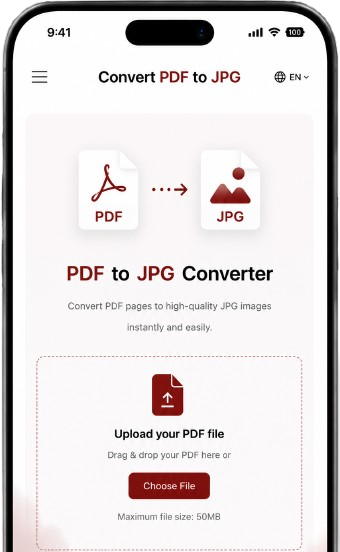
Transform your PDF pages into high-quality JPG images.
Drag & drop your PDF or click to browse
A PDF to JPG online converter is a web based platform which converts PDF documents seamlessly into separate image files. Instead of keeping your content embedded within a pdf this tool captures every page into HD visual that is simple to preview, customize and share to other required platforms.
PDF to JPEG transformation is termed as a procedure of converting digital sheets from pdf style to jpg visual. This transformation is now becoming a daily joyful practice of people which makes their documents more versatile, and user friendly in this digital world.
The process of turning a pdf page to a jpg image file is really a seamless workflow that transforms each Portable Document File into a jpg image file.Here a very easy and straight forward way of this enjoyable conversion going to be discussed.
When you upload or submit a pdf file on our reliable and digitalized tool. The mind of the tool reads the page carefully just like the printer would. Then it reproduce original structure, typography, design elements on the page and export them into jpeg style.
PDF to Image transformation is much more than just a digital workflow. It’s about removing complexity and delivering you back control over your digital file. We have been all there: If you have a critical pdf file but it is making you feel impossible to share, and edit the file according to your own taste. That shows a single file becoming an obstacle. But this is a place where PDF to JPEG conversion truly delivers meaningful difference.
1: Converting PDF image documents to JPG helps to reduce the size of files.
2: Make it faster to upload on any platform
3: Easily download the file.
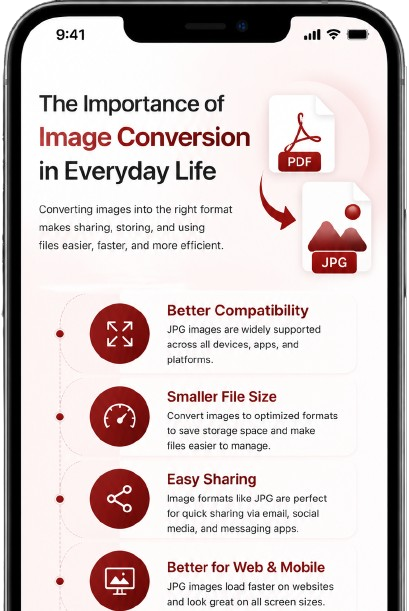
Our online Pdf to jpg converter is built for handling the routine document issues that people mostly face while working with documents. Here are the features that actually make our tool highly practical.
When respectful users land on our online pdf converter then no need to establish a particular app for conversion. Moreover No sign up needed and without any locked restriction users can get benefit.
Rapidly extract essential visuals, graphs,and illustration from your pdf files.Daily use of our tool loves these features because it helps them to reach and reuse important visuals that would be trapped within the document.
Enjoy the clear, sharp and premium grade JPG images that preserve the original integrity of your PDFs. Whether you are using them for work, personal projects and studies you get consistent output after using our tool.
Privacy of users is our first priority. All the pdf transformations directly happen in your own browser so your file would never be uploaded on our server. This provides eternal peace while dealing with sensitive documents.
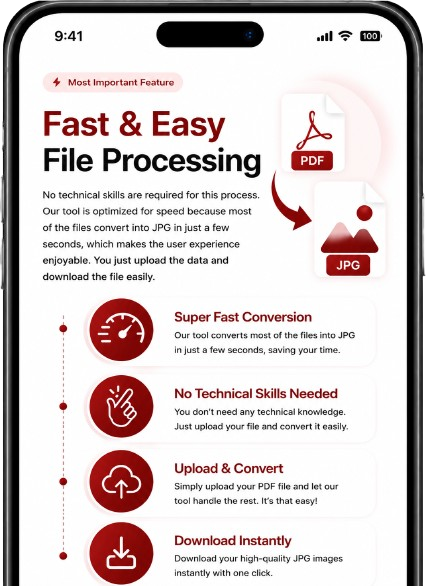
No technical skills are required for this process. Our tool is optimized for speed because most of the files convert into JPG in just a few seconds, which makes the user experience enjoyable. You just upload the data and download the file easily.
Users can follow some steps below to convert a file for pdf to jpg without losing any time on
convert pdf 2 jpg
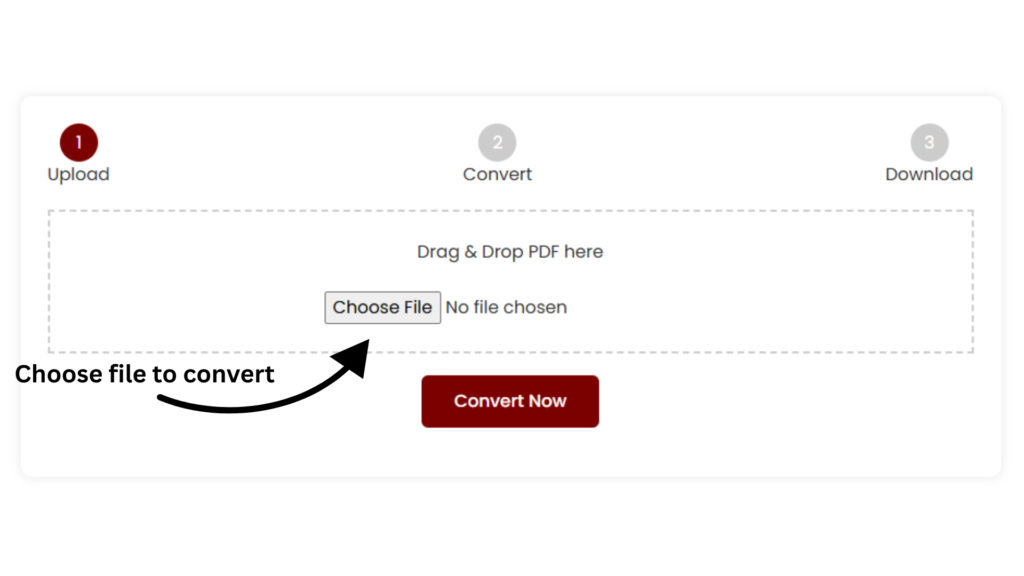
Click the upload button and choose your pdf document file. Take a cool breath, You are just one step before making it simple and usable.
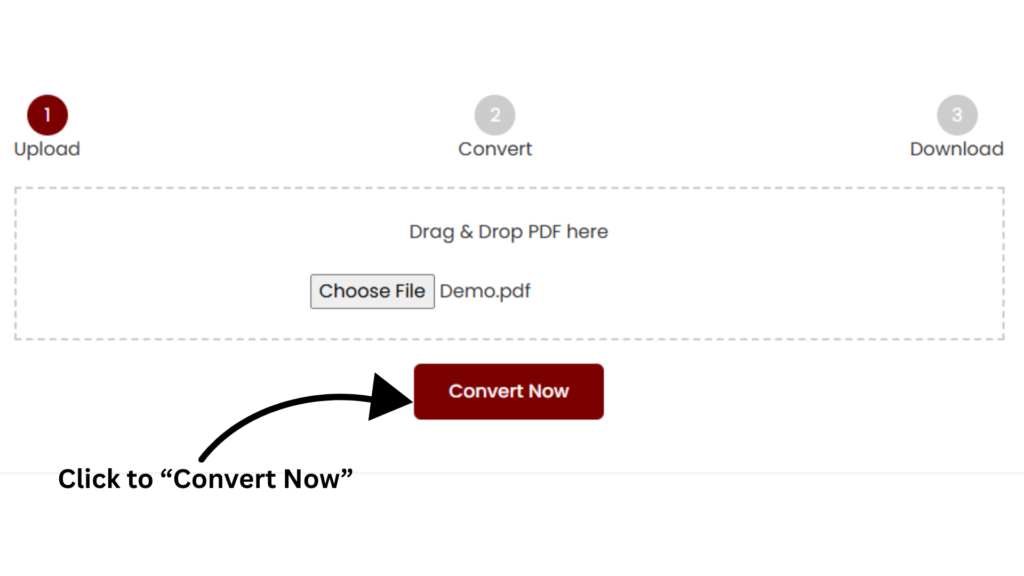
Now hit the convert button and make a small wait. Watch as your pages are completely converted into a clear image in no time and more efficiently.
Select the page you want to transform. This part feels great because you are completely in control of converting all pages or an important one.
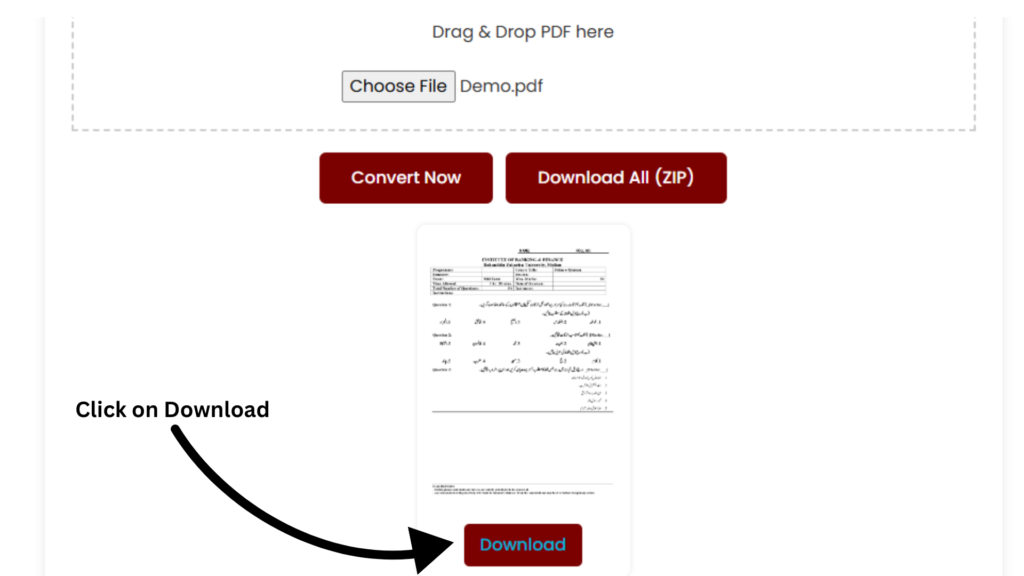
Tap the Download button and get your premium quality image individually or as a ZIP. Now enjoy the peace of having a low weighted ready to use file.
Experience incredible and beginner friendly options to transform your pdf files into high resolution images. Whether you need an individual page for quick presentation or all pages form lengthy documents our tool is optimized to make the process shameless, rapid and exactly how you want it.
Experience incredible and beginner friendly options to transform your pdf files into high resolution images. Whether you need an individual page for quick presentation or all pages form lengthy documents our tool is optimized to make the process shameless, rapid and exactly how you want it.
Export any page into ultra sharp and high resolution images in seconds. Our tool transforms each page of your document as a high resolution JPEG while maintaining the layout, fonts, and graphics, as they show in real documents.
Select format fits your needs. Export individual JPGs if you only require specific pages. On the right hand you have the option to download the whole document file in one zip file when pages are in multiple numbers.
No file downloads, No installation required, and no complicated setup is demanded. Every step of converting files occurs directly in your browser, protected and encrypted.
We all know very well how PDFs are valuable for us today.Transforming the pdfs to jpg simplify your workflow and greater control to your daily work and studies.
There’s greater convenience in converting long, complex lecture notes, academic books and papers into a clean, best quality image. Instantly you can enlarge into technical diagrams emphasizing essential content and generate graphical summaries that effectively support comprehend and improve retention.
Academic life can be demanding heavy notes, strict deadlines, and constant pressure of submitting your work. Converting your pdfs into images provides an essential smoother workflow and better organization.
There’s greater convenience in converting long, complex lecture notes, academic books and papers into a clean, best quality image. Instantly you can enlarge into technical diagrams emphasizing essential content and generate graphical summaries that effectively support comprehend and improve retention.
Sending your document should be effortless and worry free. With jpeg images users can fastly supply a particular page from assignment, project reports, or question papers to their class fellows and teachers.
Time is Money. In business time is sensitive and every delay costs but translating pdf can help the work team to communicate fastly and feel more in control.
There is nothing more efficient than sharing required content without making others to download large files.Images are optimized, open fastly, and appear crystal clear on any device making teamwork polished and more efficient.
Export essential charts, data visualization,infographic graphics from pdf report and use them directly in powerpoint, and google sheet etc. Design professional presentation decks which fully satisfy the customer satisfaction when present in front of professionals.
Design creativity requires creative freedom.Nothing is more inconvenient than being restricted with static pdf when you are trying to build professional content.
There is nothing more efficient than sharing required content without making others to download large files.Images are optimized, open fastly, and appear crystal clear on any device making teamwork polished and more efficient.
There’s creative joy in transforming the static pdf page into a versatile and editable page. Trim improve, merge, and reuse them freely across creative projects. Whether you are updating professional material, building creative mood board and making social media engaging content but our tool remove obstacles so you can dedicate your attention on what you love most creating.
Pdf to image processing can significantly improve the digital workflow. It eliminates common hassles and gives you more flexibility. Here are major advantages that users actually love the most.
One of the major conveniences of our free online pdf to jpg image converter is how frictionless sharing happens. Instead of sending oversized digital files, users can instantly share ultra sharp, lightweight image files on Whatsapp, email or any other messaging platform.
JPEG files allow the user to display the digital content in a much more attractive and versatile style.
Whether you are designing the presentation slides decks, social media content and website content image display perfectly on various display sizes.
PDFs can feel inflexible because they are difficult to customize. Then a great idea came in mind to convert into a jpg file where a new door opens which allows the multiple possibilities, you can quickly edit, trim, optimize, or add creative features qualities in the editable content.
Transforming PDFs document into an image file helps the user reformat the file in an innovative and versatile method. Our tool can give a new life to your content when you are designing the study note or while doing any other project.
Our free online PDF to JPG converter allows you to convert your documents into high-quality JPG images without any watermark, logo, or unwanted text. Get clean and professional results every time.
Convert your PDFs instantly with no signup or account creation. Simply upload your file and download the JPGs immediately – no email or registration required
Start converting right away with zero registration or verification process. Enjoy a hassle-free experience with our fast and secure online PDF to JPG tool.
A fully online and browser-based PDF to JPG converter that works perfectly on any device – desktop, laptop, tablet, or mobile. No software download or installation needed.
Users’ files always stay safe during the conversion of pdf to jpg image. Our tool protects your data while delivering you fast and accurate results. User privacy is always our first priority
Files are processed through a secure and encrypted system to prevent unauthorized access during the conversion process.
Our organized tool does not share and save the data during conversion. User data is removed by the system automatically to ensure the privacy of the user.
The content of the user remains the same without any changes with high quality results or outputs.
Our pdf converter tool builds the trust of users by providing fast, accurate and reliable results for the user interest.
While converting the pdf file to jpg follow some of below steps to ensure the clarity and high output.
Select the high resolution during conversion of the PDF to keep the text sharp, clear. Avoid compressing the file too much as this can reduce the image quality.
Choose your target page before converting the file because it will save your time and focus on the important content.
Always try to verify the download file before sharing it to the other platform. Make sure the images are clear and complete.
In a simple way just upload your pdf file in the tool and select the different resolution options and after some seconds users can download the file.
In the case of our best tool users will not face any image quality impact while converting the PDF image to JPG image.
Yes, users can extract images for a pdf file and save it to a jpg forum for future use.
Yes, our tool first makes sure to secure your data by deleting automatically after the conversion of your file to make your file secure and keep your privacy blocked for others.
Far far away, behind the word mountains, far from the countries Vokalia and Consonantia, there live the blind texts. Separated they live in Bookmarksgrove right at the coast
Copyright © 2026 convert pdf 2 jpg. All Rights Reserved.